Phase 2 - RDS
1. Create DB subnet group
-
Open RDS Console -
Subnet groups-Create DB subnet group.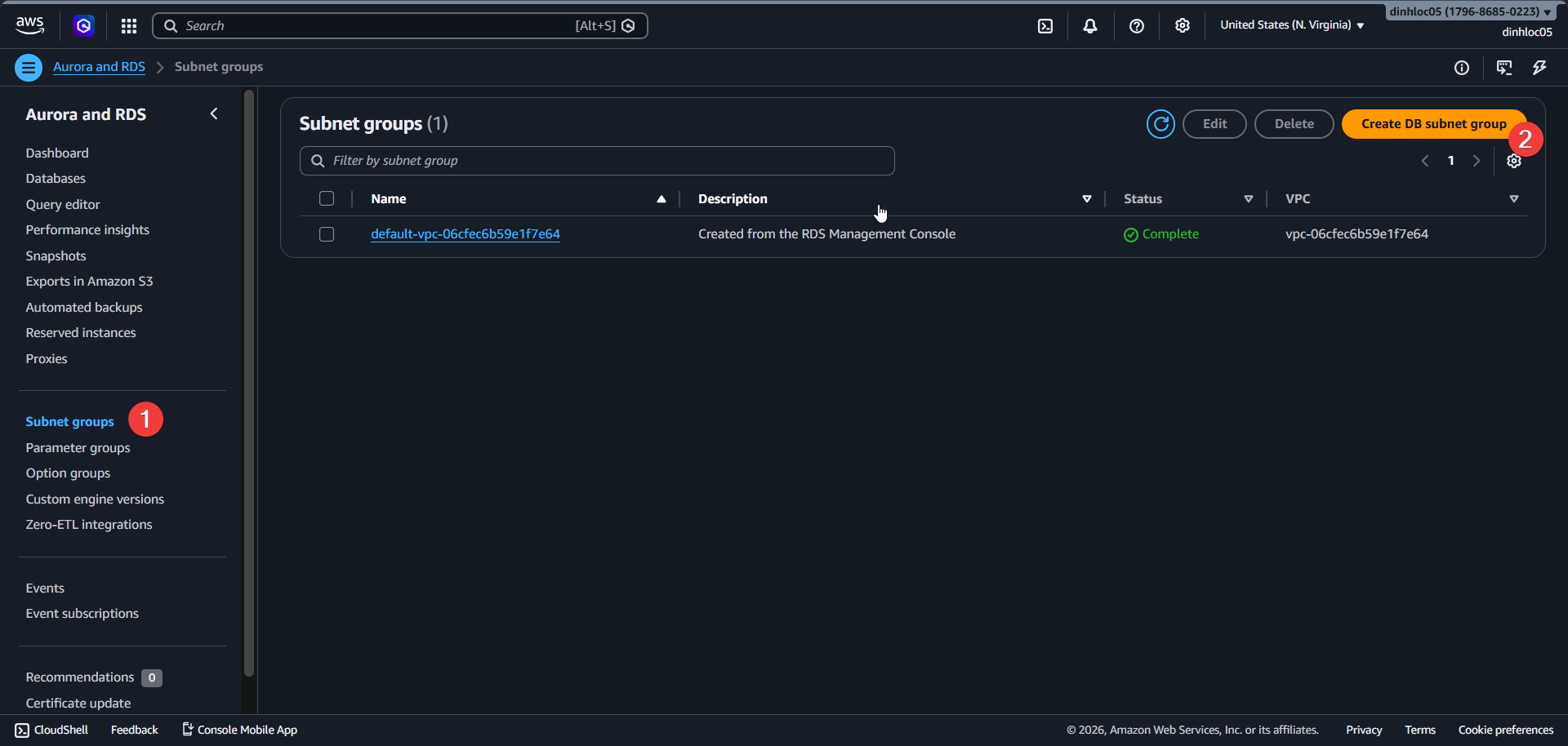
-
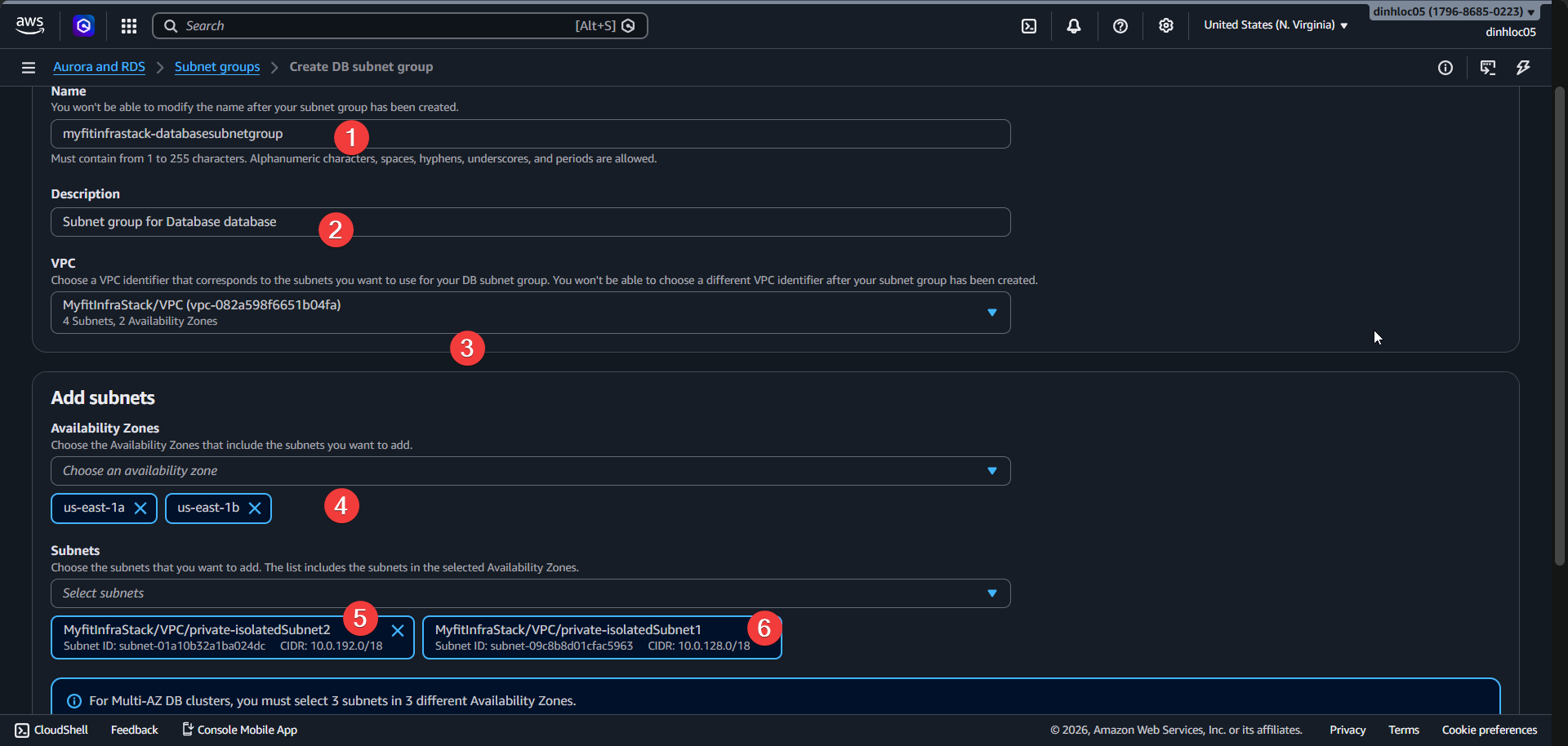
Enter Name:
<your-db-subnet-group-name>. -
Enter Description:
<your-db-subnet-group-description>. -
Select VPC:
your-vpc-id. -
Select 2 Az that have 2 isolated subnet.
-
Seclect 2 isolated subnet:
your-isolated-subnet-1-idandyour-isolated-subnet-2-id.
2. Create PostgreSQL RDS instance
-
Open RDS Console -
Databases-Create database.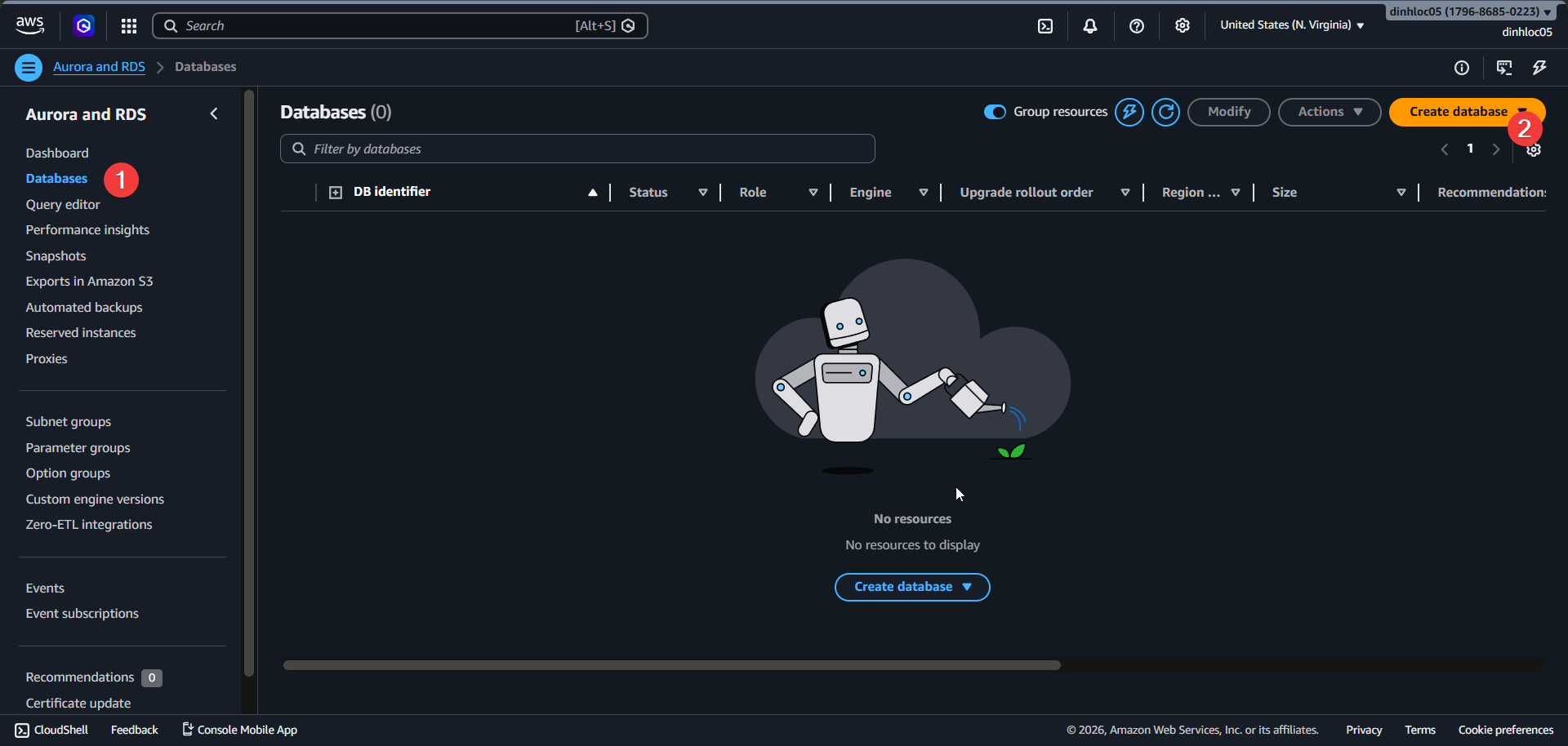
-
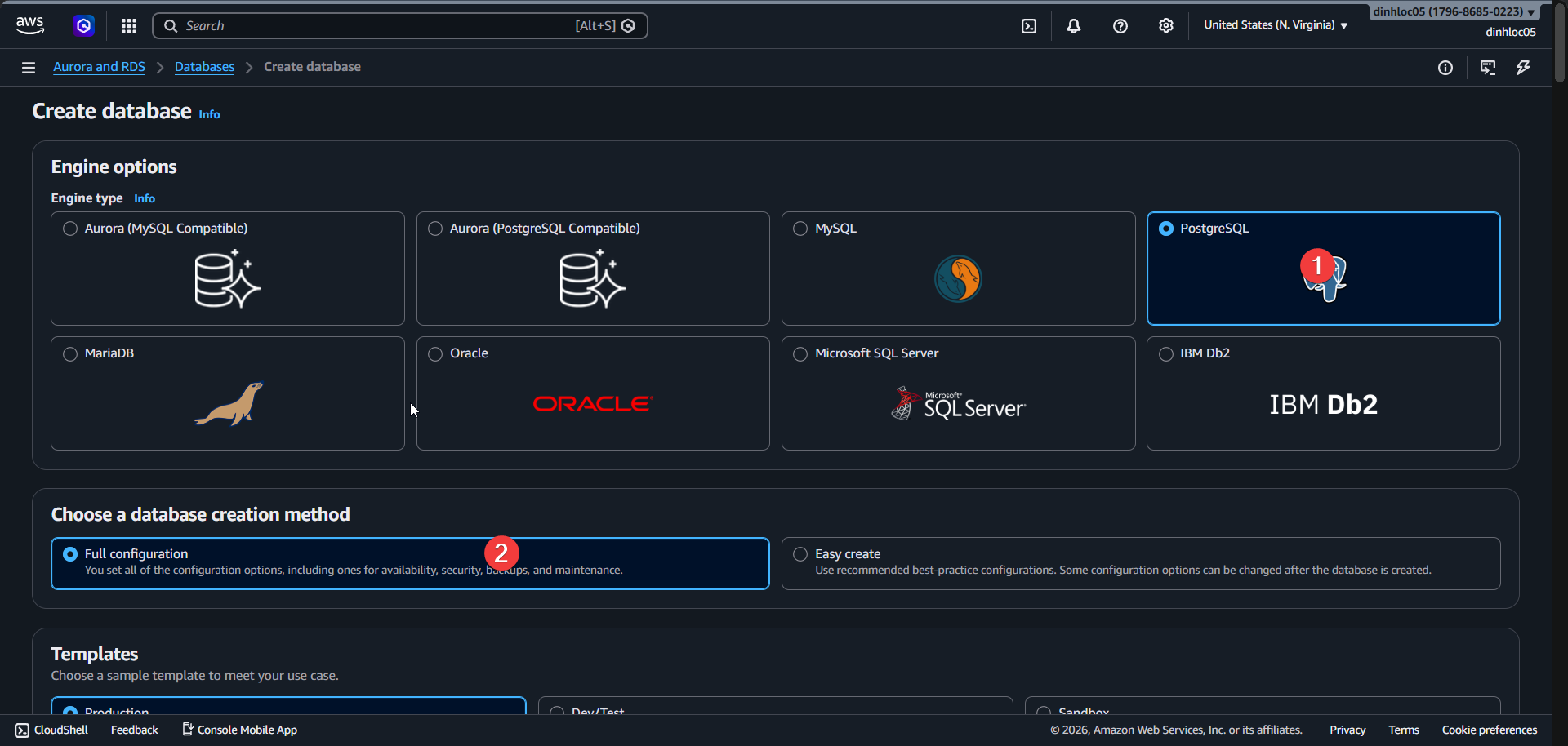
Select Engine type:
PostgreSQL. -
Select Full Configuration.
-
Pick
Multi AZ 2 instance.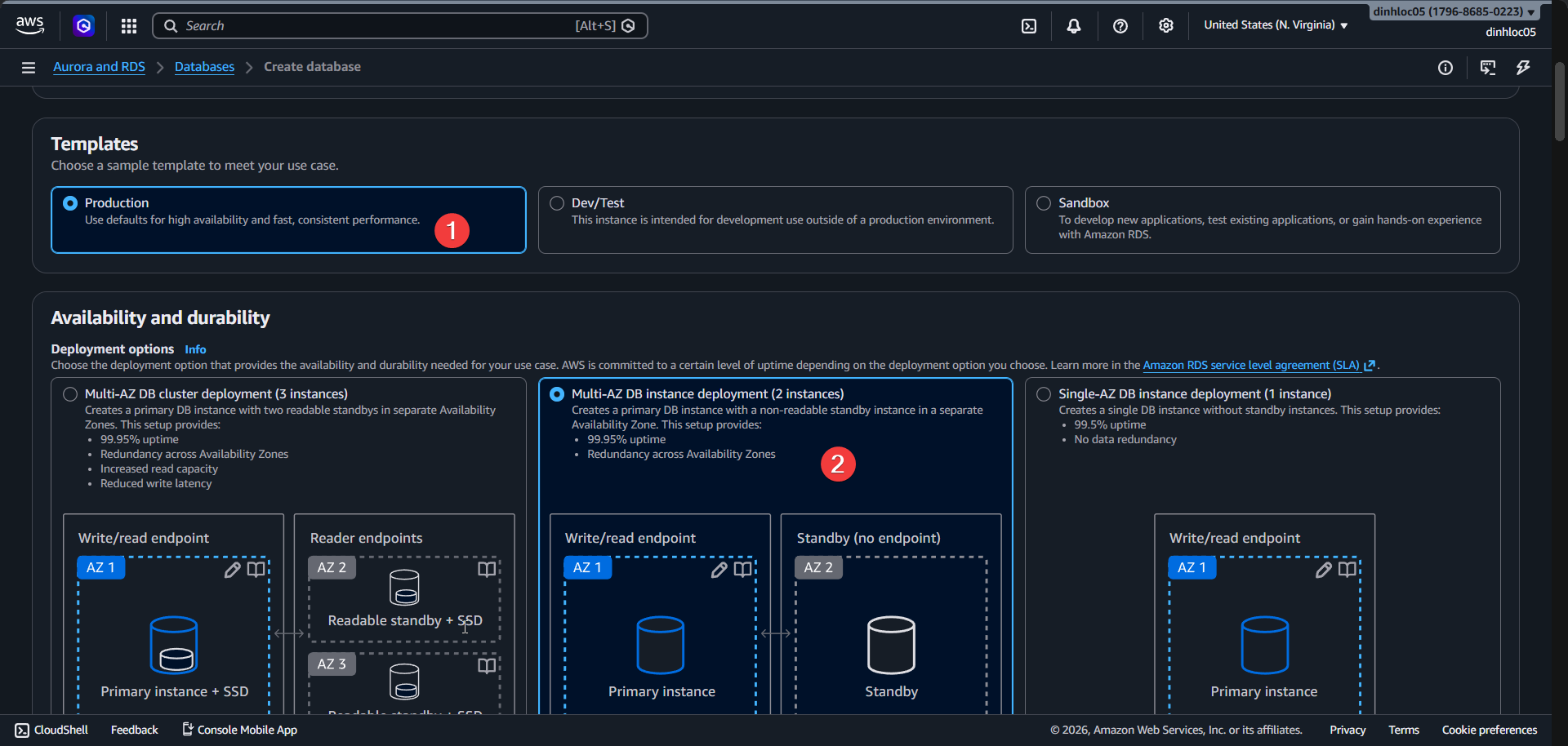
-
Select VPC and Subnetgroup id.
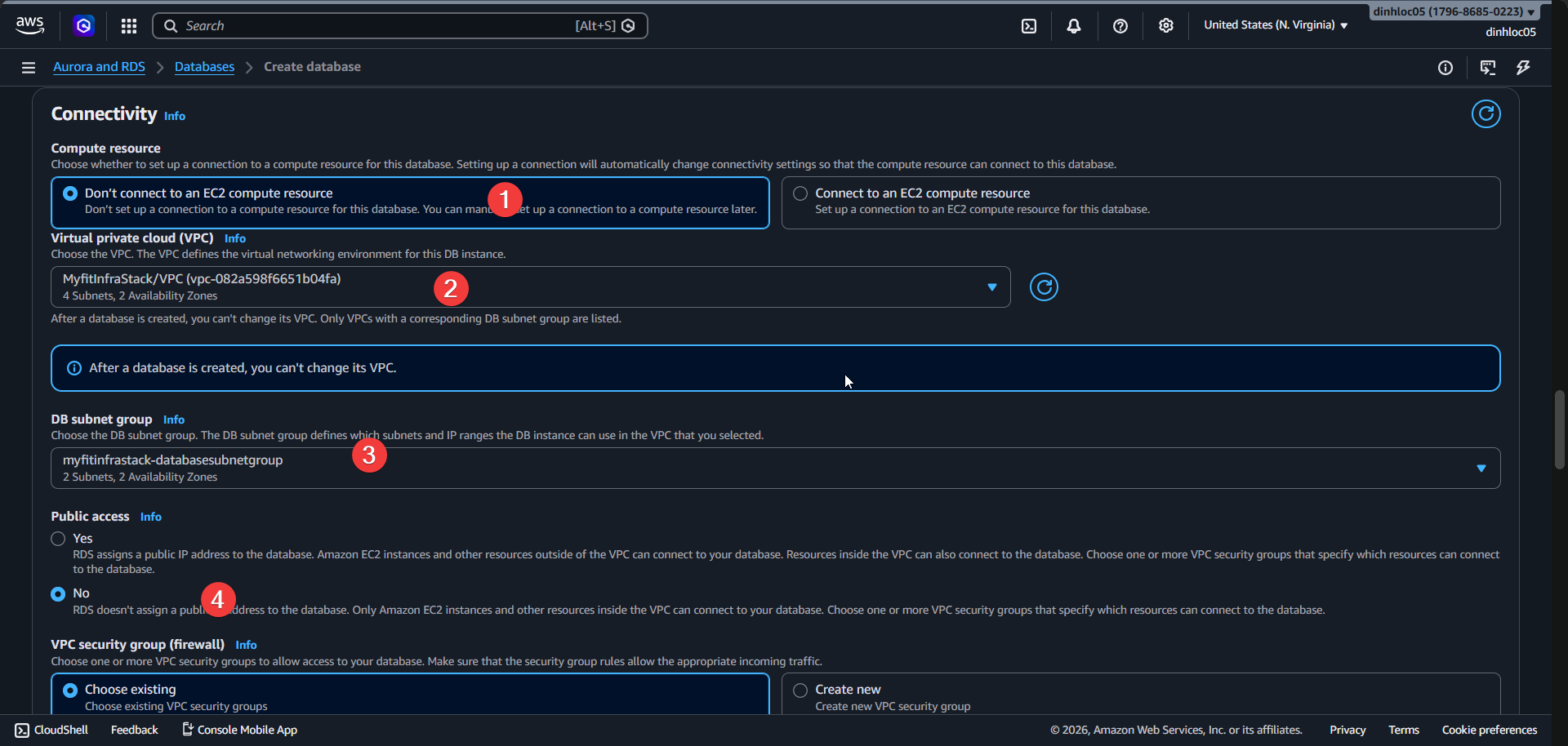
-
Select Vpc security group:
<your-database-security-group-id>.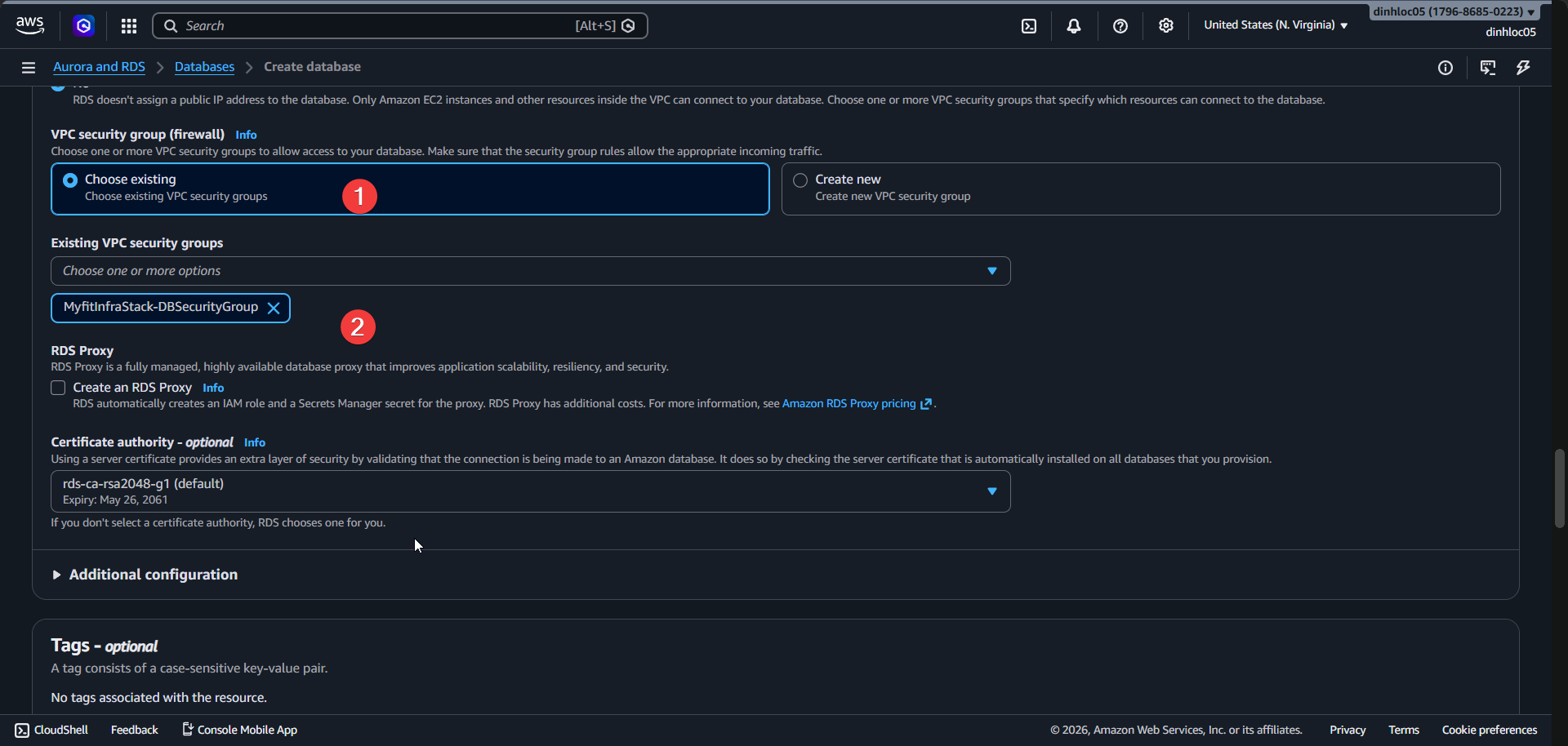
-
Select Engine version:
15.14. -
Enter DB instance identifier:
<your-db-instance-identifier>. -
Enter Master username:
postgres.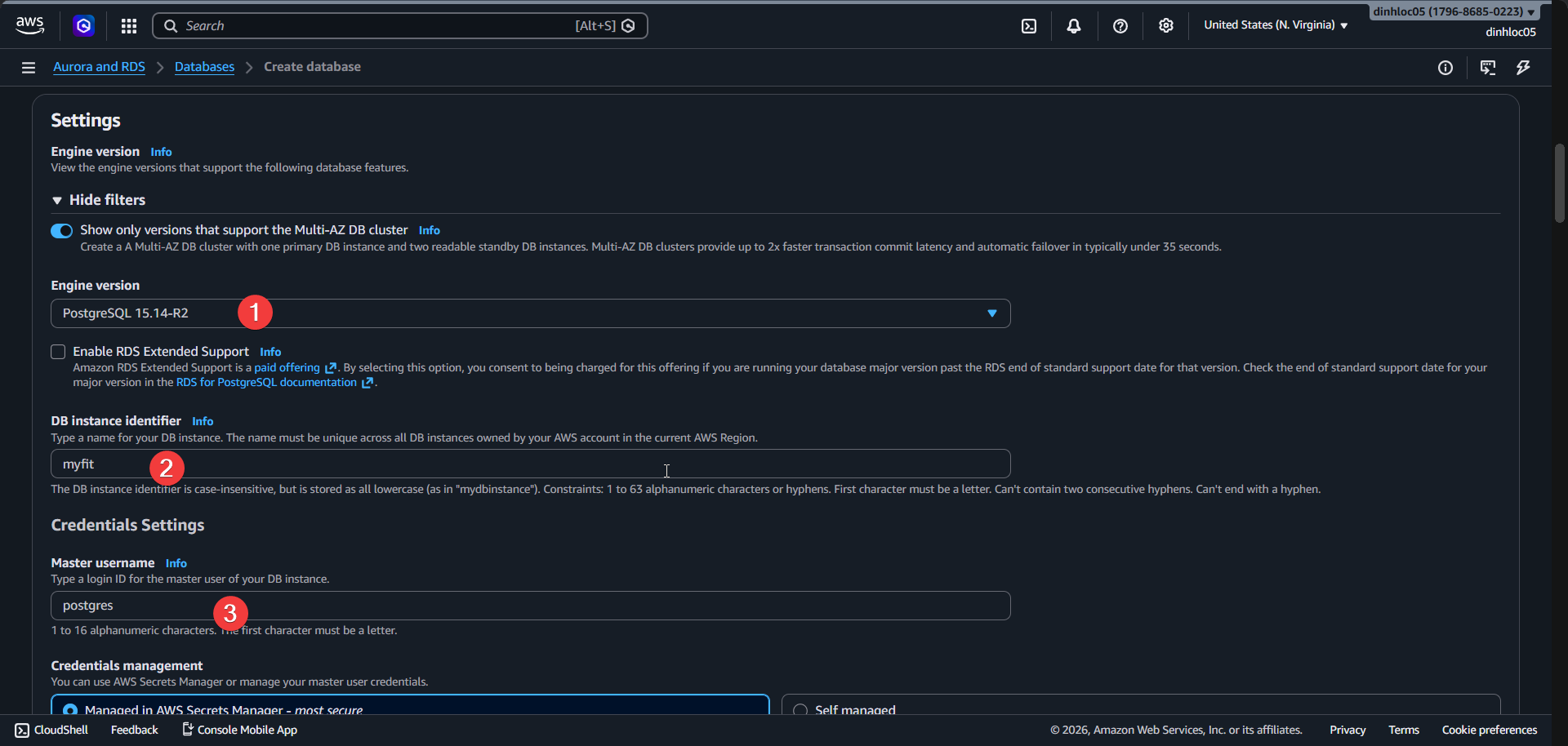
-
Click
Manage in AWS Secret Manager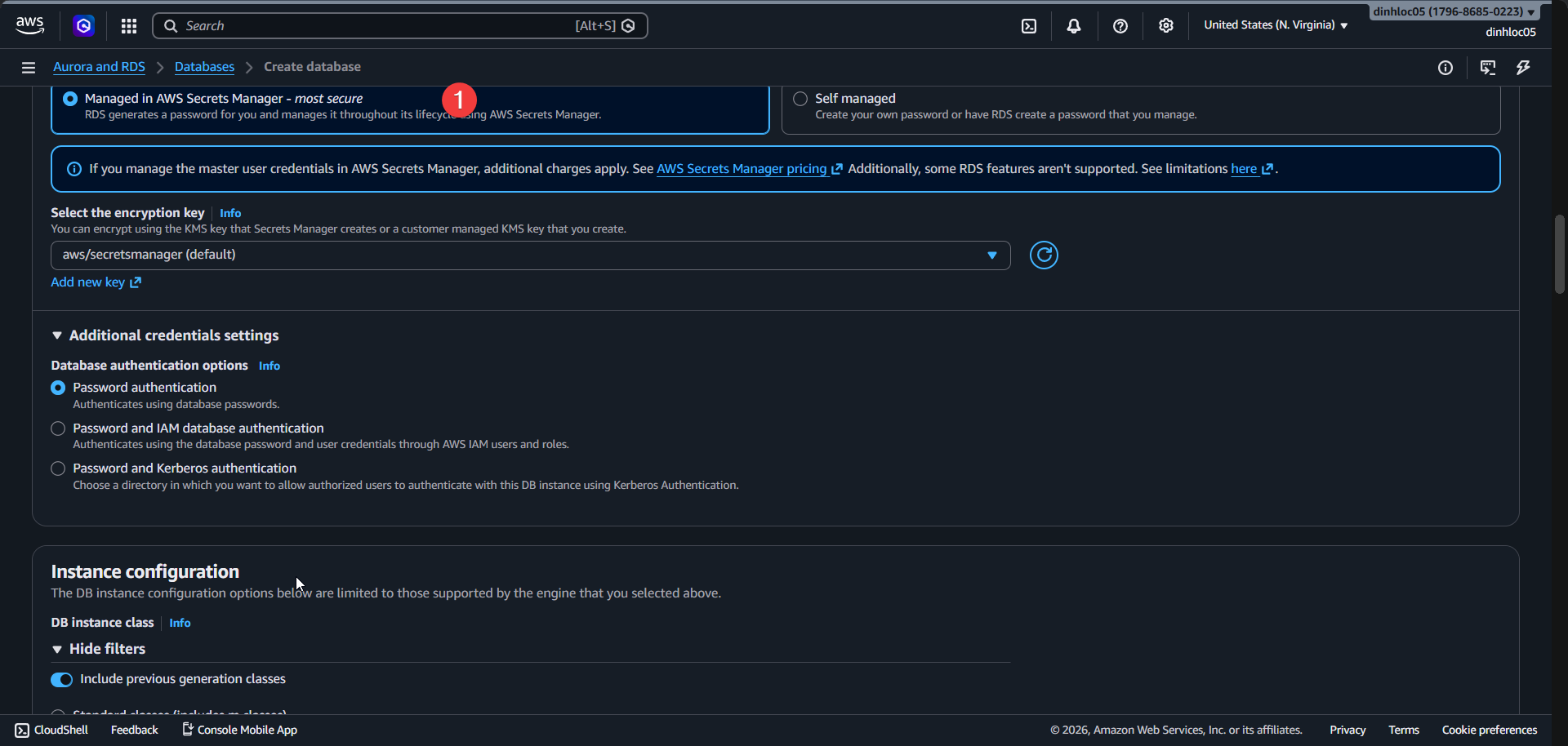
-
Select DB instance class:
db.t4g.micro.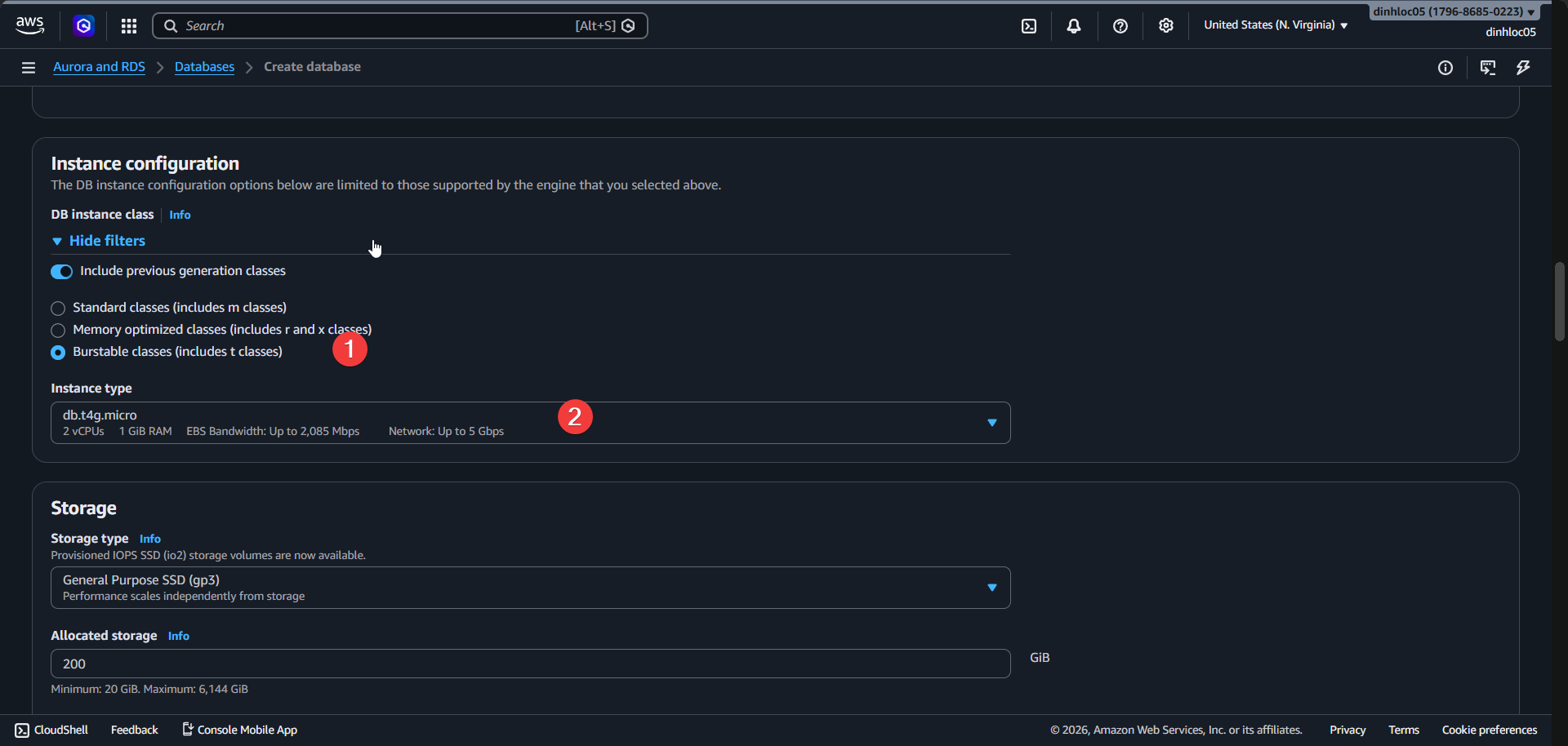
-
Select Storage type:
gp3. -
Enter Allocated storage:
20GB. -
Enable Storage autoscaling:
Yes. -
Enter Maximum storage threshold:
50GB.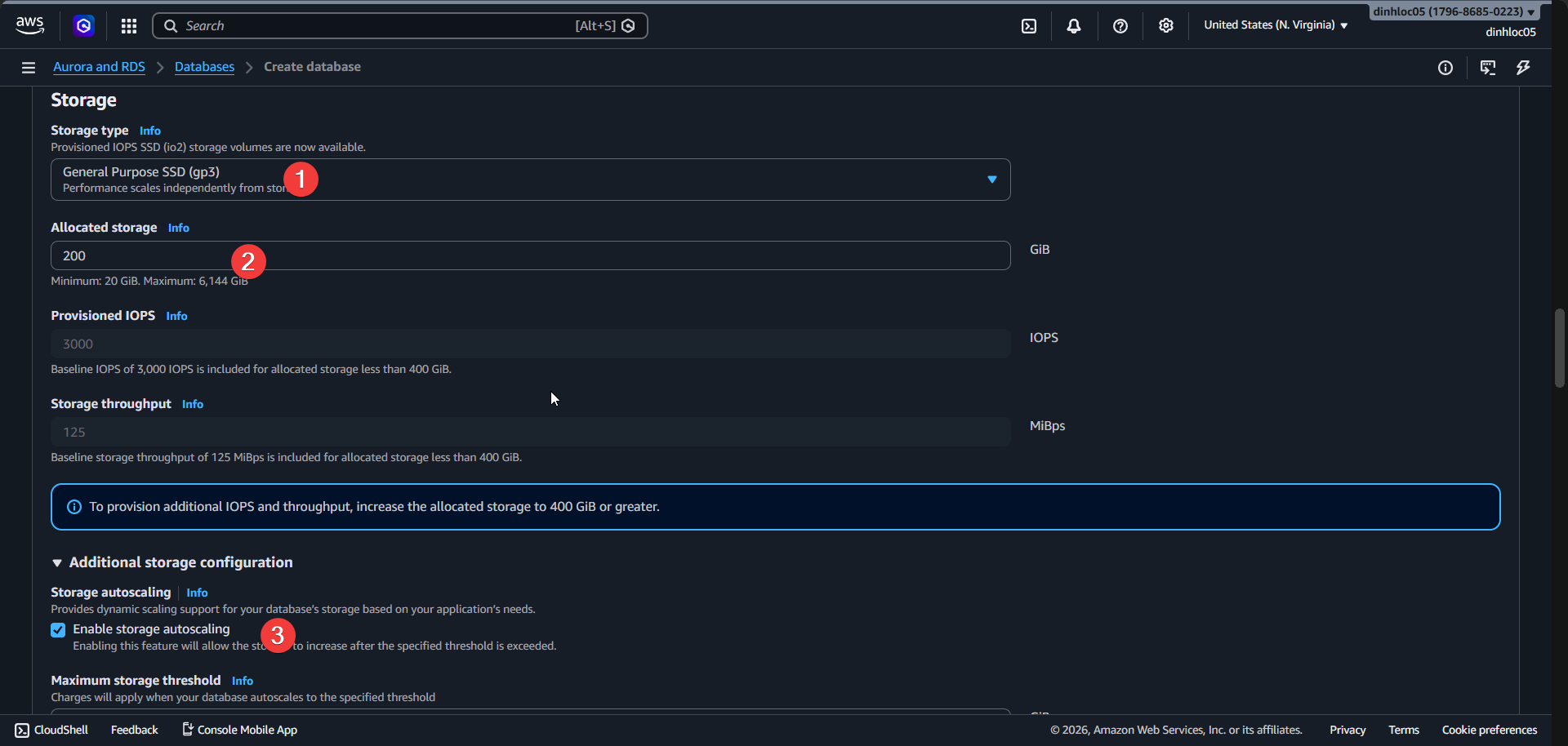
-
Enter Backup retention period:
7days. -
Enable CloudWatch logs export:
postgresql. -
Click
Create. -
Confirm status:
Complete.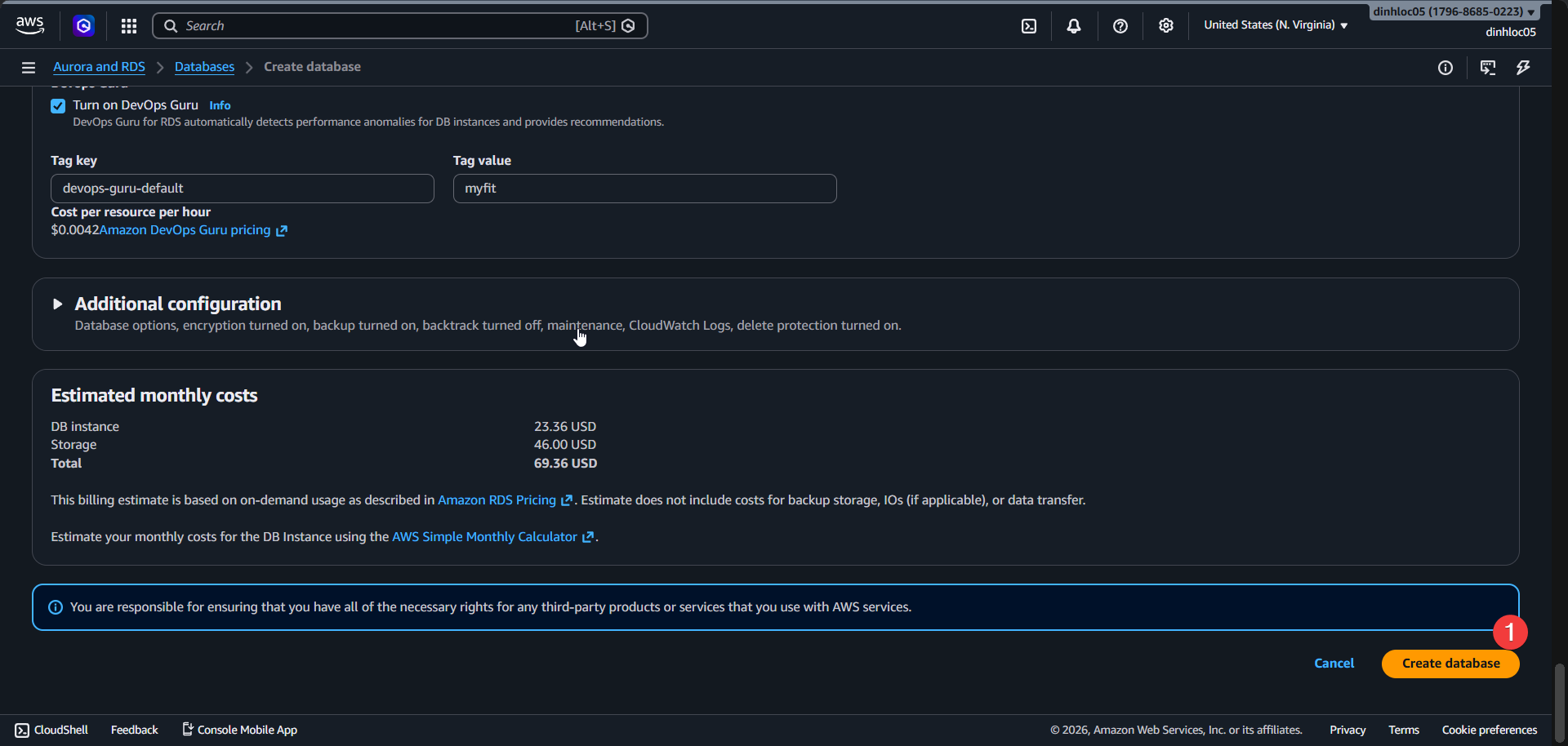
-
Click
Create database. -
Wait until DB instance status is
available.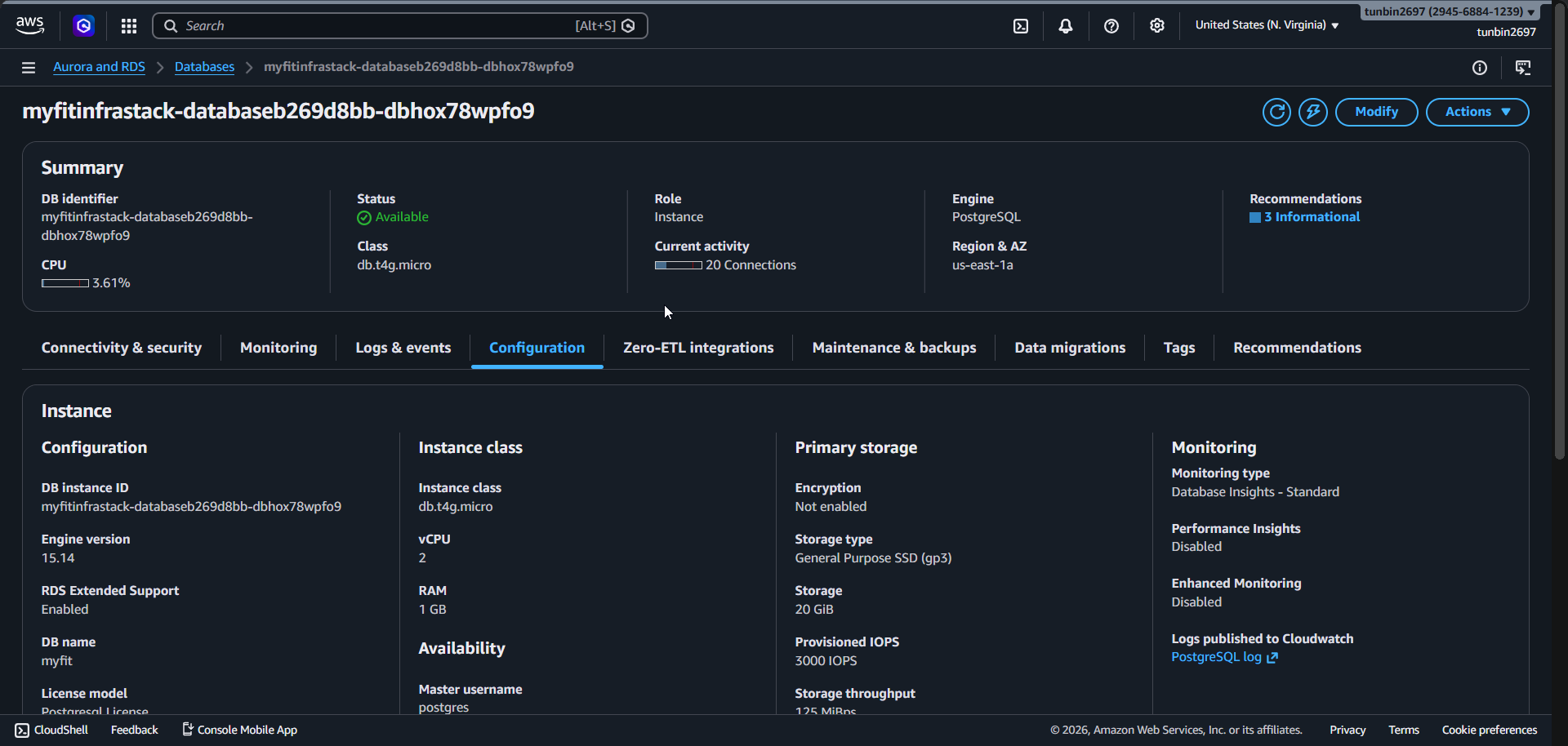
-
Copy Endpoint address:
<your-rds-endpoint>. -
Confirm Port:
5432.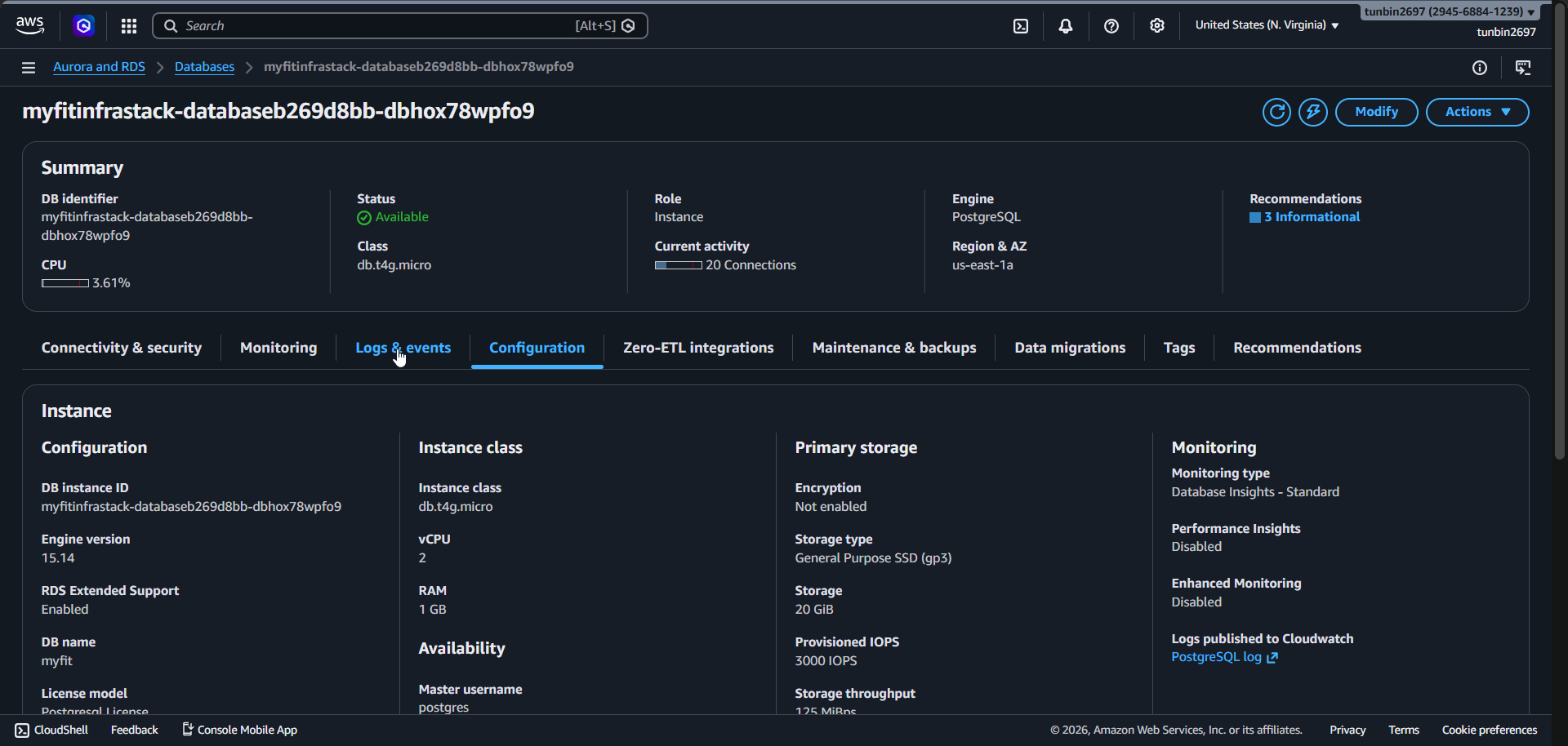
3. Check database secret in Secrets Manager (auto generated)
- Open Secrets Manager Console.
- Save secret and copy ARN:
<your-rds-secret-arn>.
4. Phase completion checklist
- Confirm DB subnet group is
Completeand includes only the two isolated subnets. - Confirm DB instance status is
available. - Confirm Engine/Class/Multi-AZ are
postgres 15.14,db.t4g.micro,true. - Confirm storage is
gp3,20GB, autoscaling50GB. - Confirm Public access is
false, port is5432. - Confirm Backup retention is
7days and CloudWatch logs export includespostgresql. - Confirm secret ARN for DB credentials is saved for later phases.