Phase 6 - Authentication and DNS
1. Create Cognito user pool and app client
-
Open Amazon Cognito Console in region
us-east-1. -
Open
User pools. -
Click
Create user pool.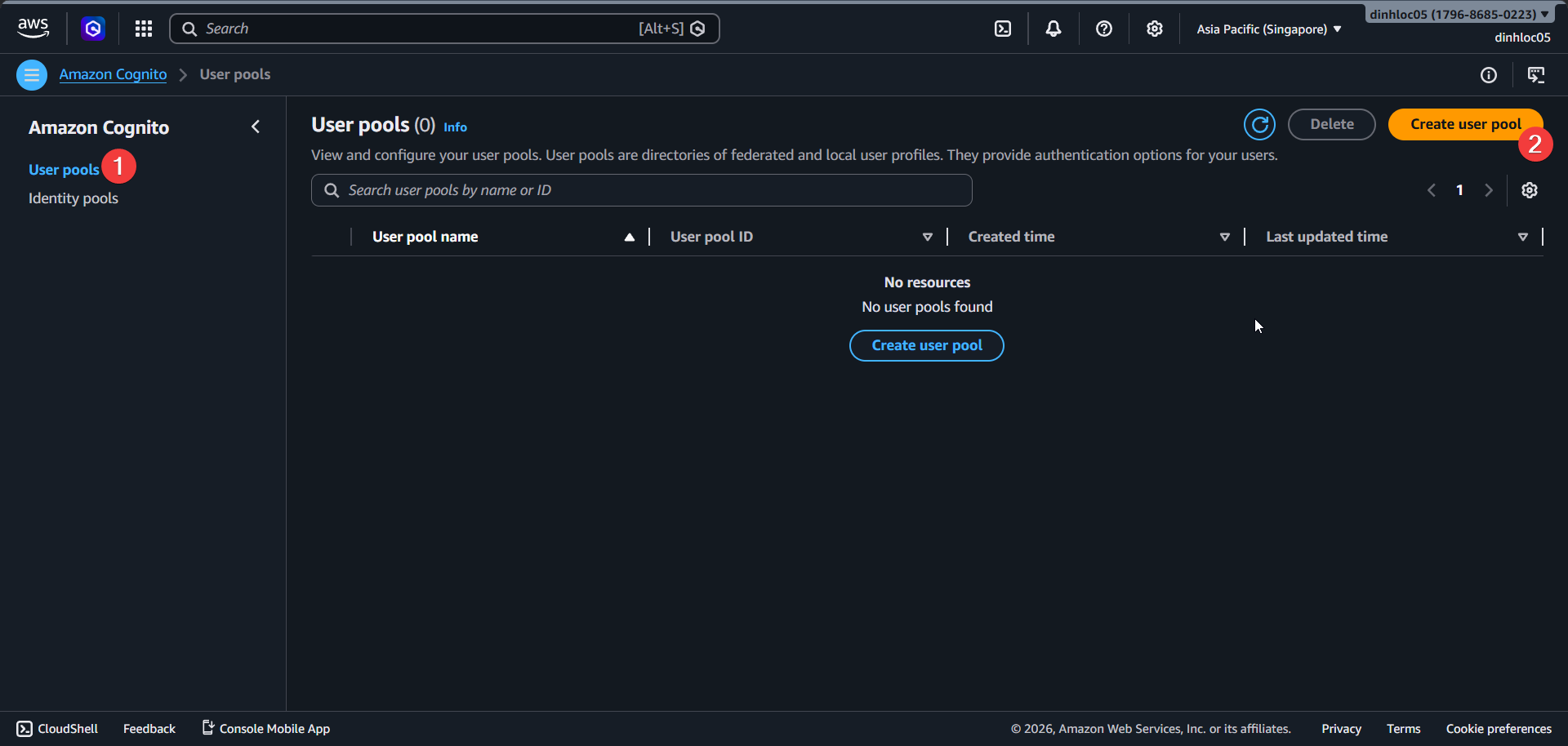
-
Select application type
Single-page application (SPA). -
Enter application name:
myfit cognito app client. -
In sign-in identifiers, select
Email.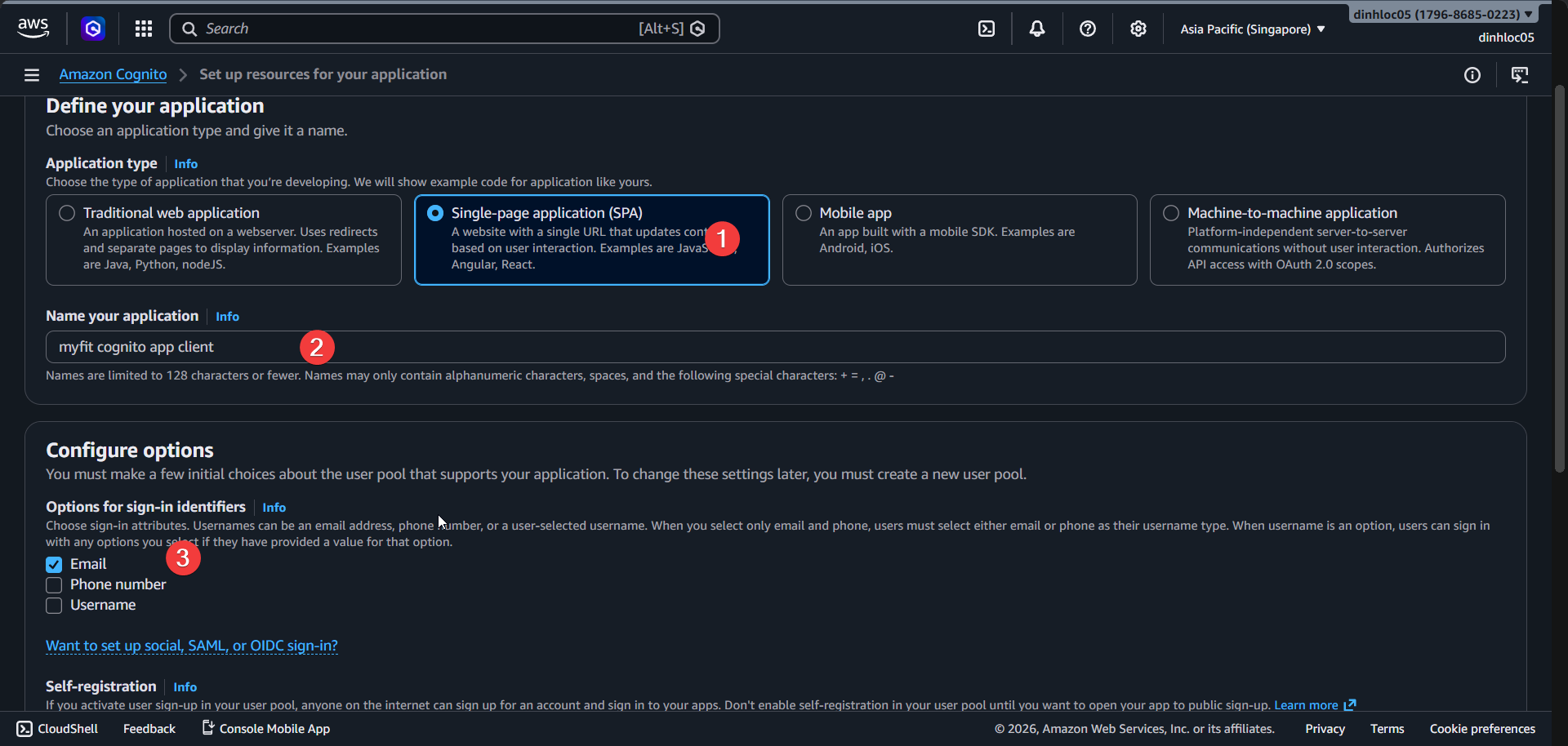
-
Keep
Enable self-registrationselected. -
Set required attributes to include
email. -
Enter return URL:
https://myfit.click. -
Click
Create user directory.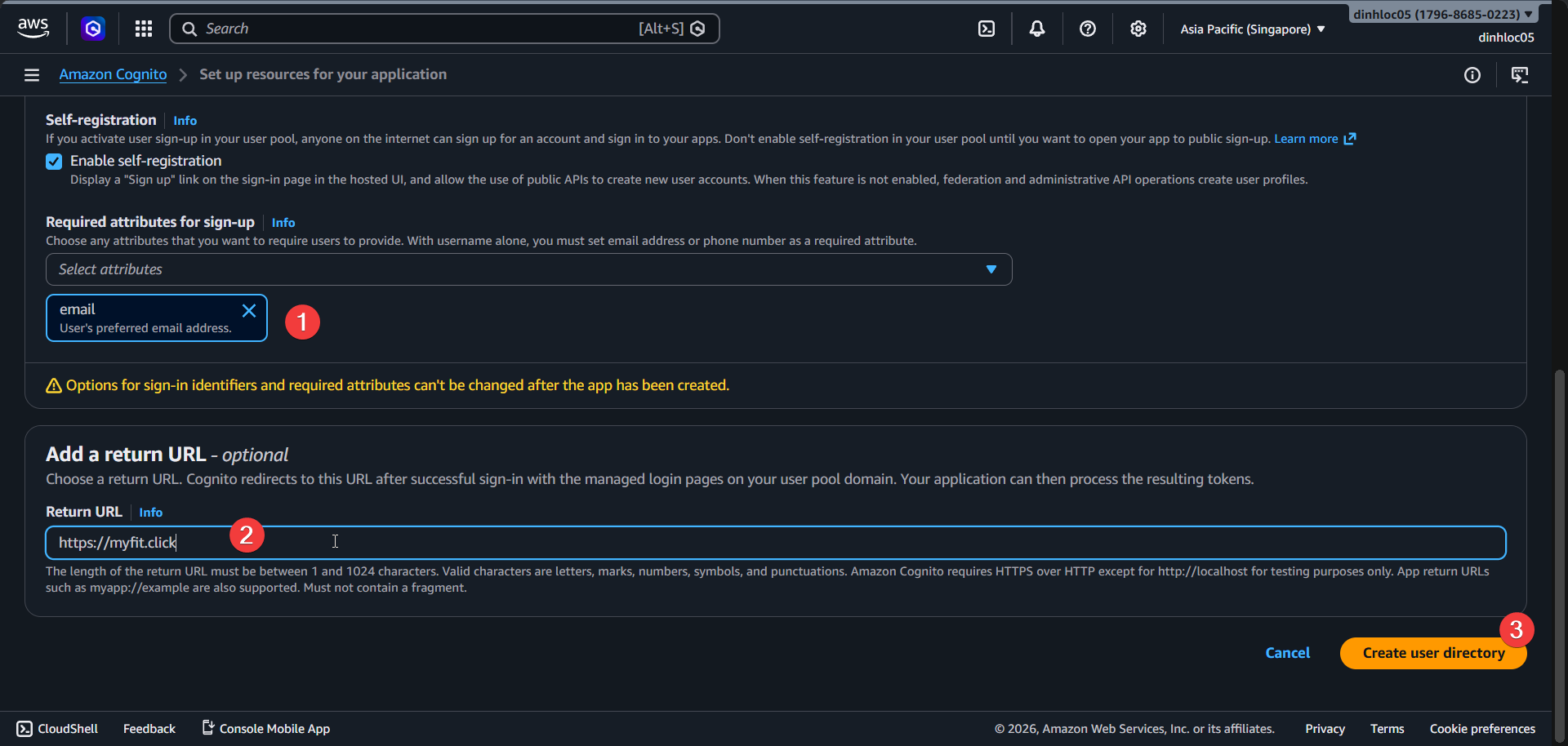
2. Configure managed login pages
-
Open your user pool, then open
App clients. -
Select app client
Fitme-cognito-web-auth-service. -
Open
Edit managed login pages configuration.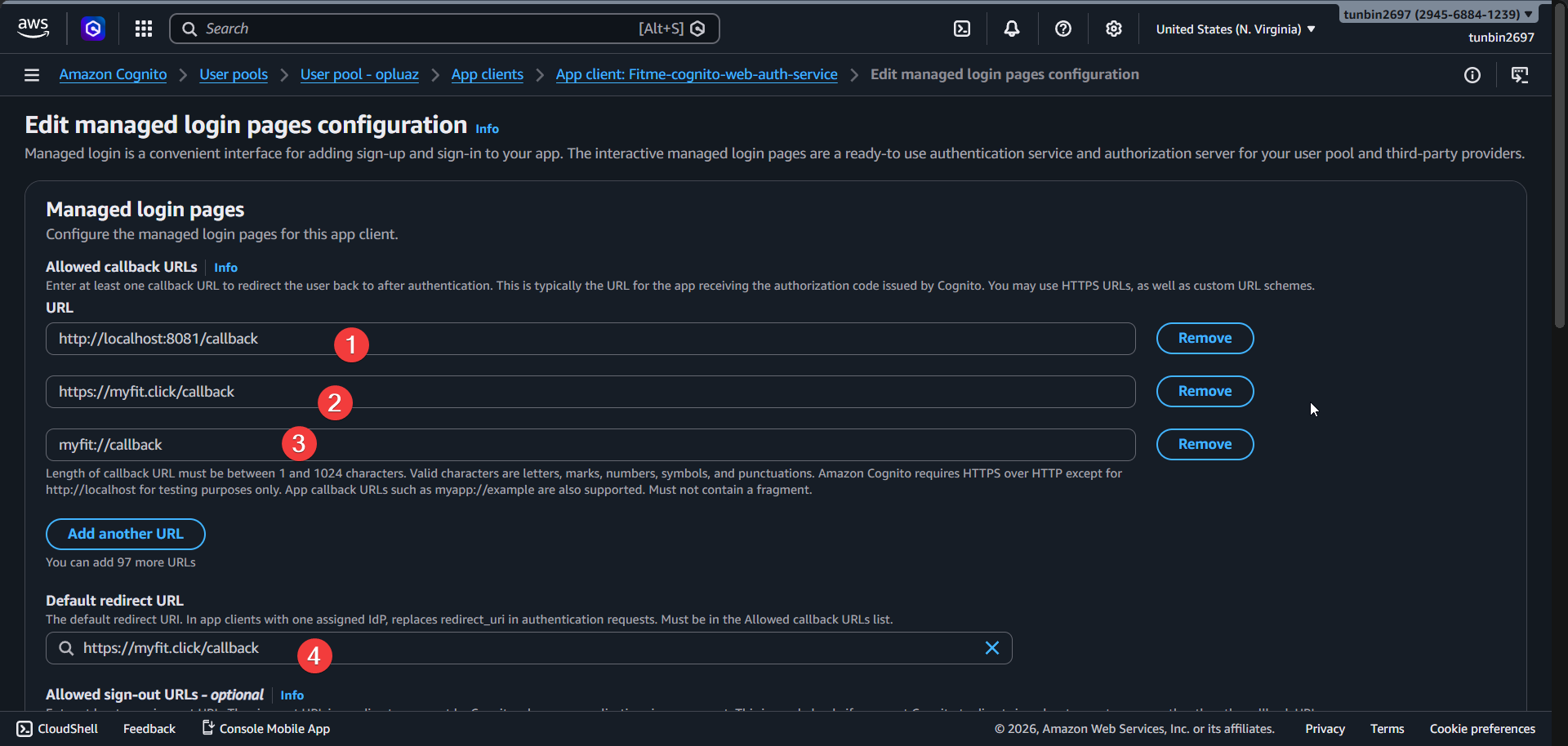
-
Set
Allowed callback URLs:http://localhost:8081/callbackhttps://myfit.click/callbackmyfit://callback
-
Set
Default redirect URL:https://myfit.click/callback. -
Set
Allowed sign-out URLs:http://localhost:8081/logouthttps://myfit.click/logoutmyfit://logout
-
In identity providers, select
Google. -
In OAuth 2.0 grant types, select
Authorization code grant.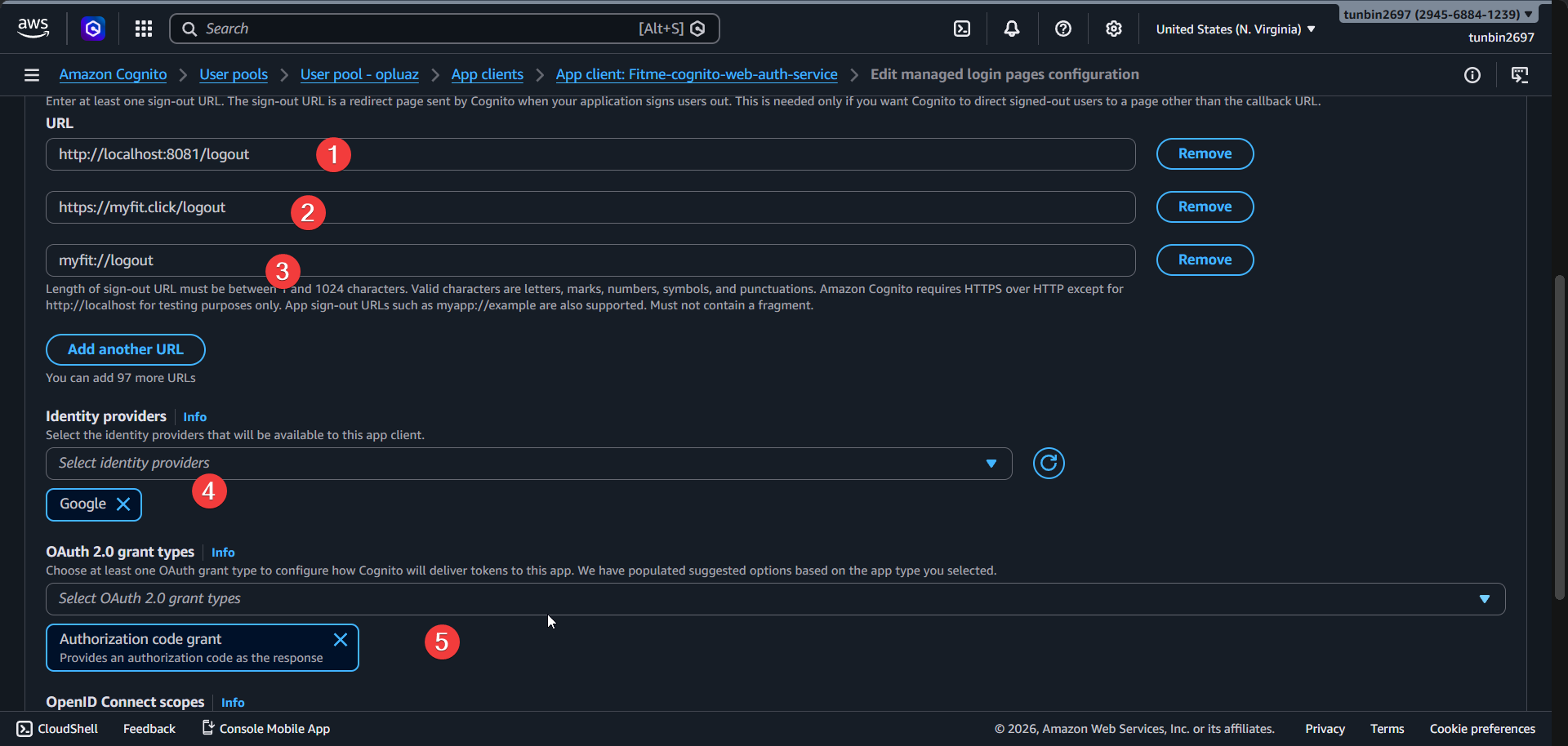
-
In OpenID Connect scopes, select:
emailopenidprofile
-
Click
Save changes.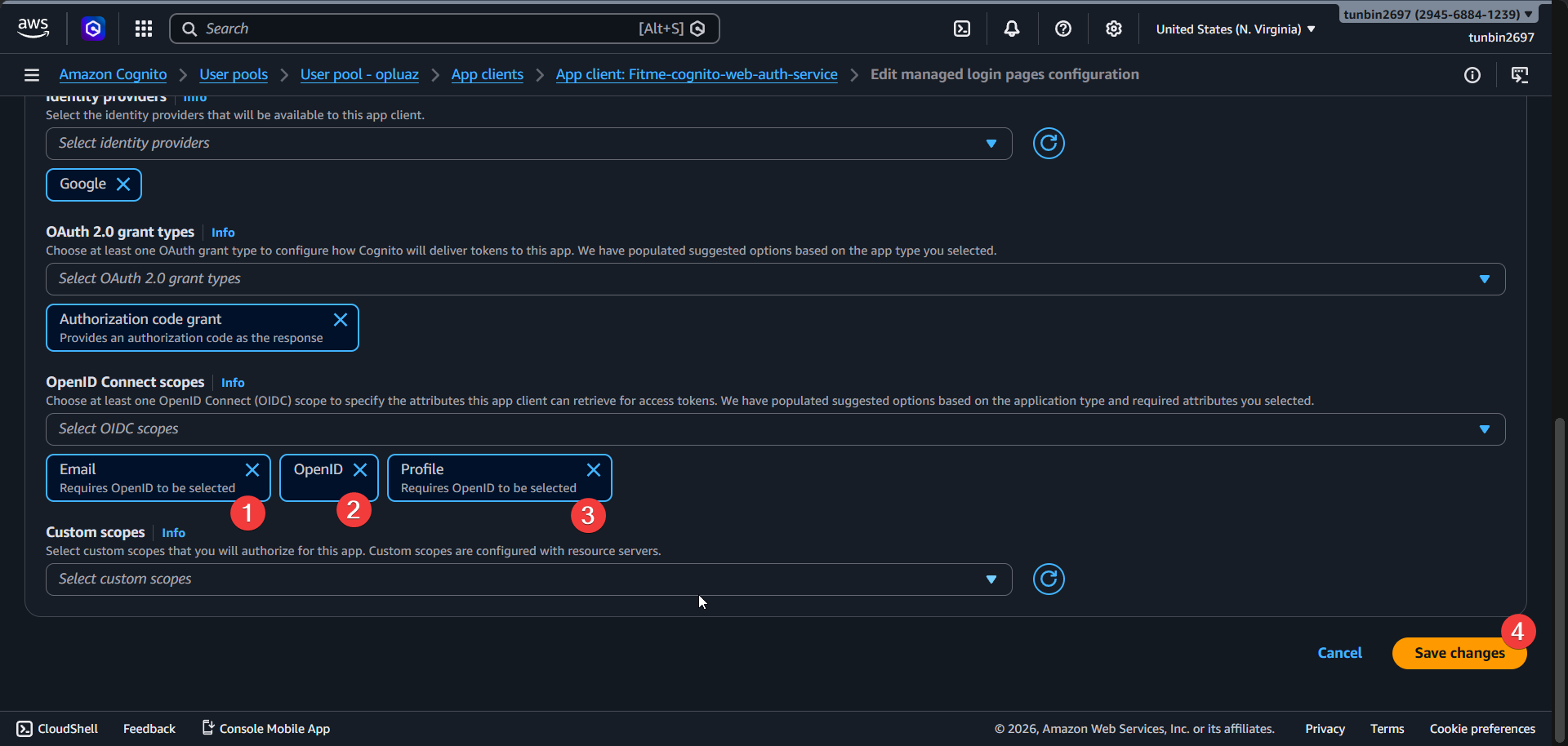
3. Configure Google identity provider
-
In the same user pool, open
Social and external providers. -
Click
Add identity provider.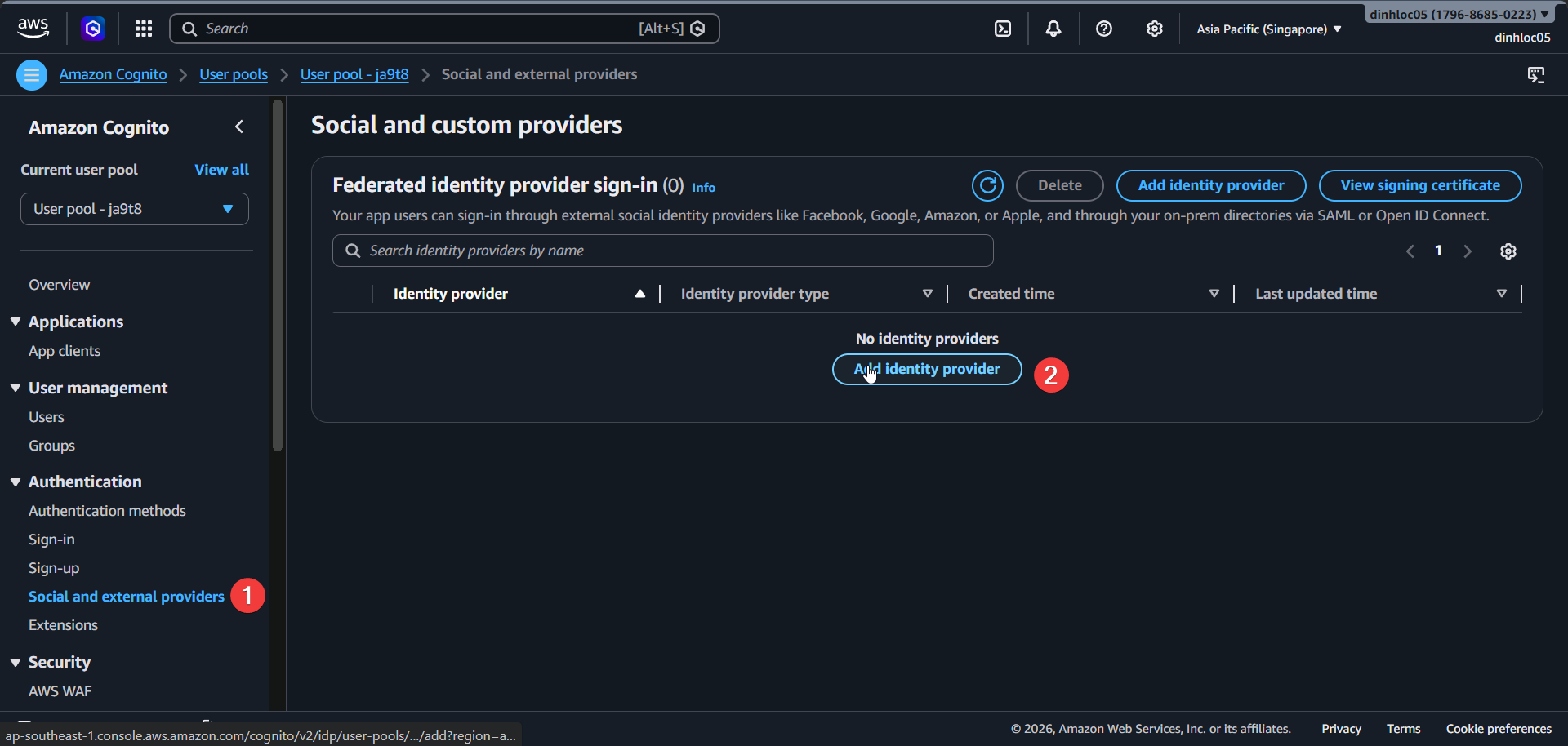
-
Select provider type
Google. -
Enter your Google OAuth
Client IDandClient secretfrom Google Cloud Console. -
Set authorized scopes:
openid email profile. -
Save changes.
-
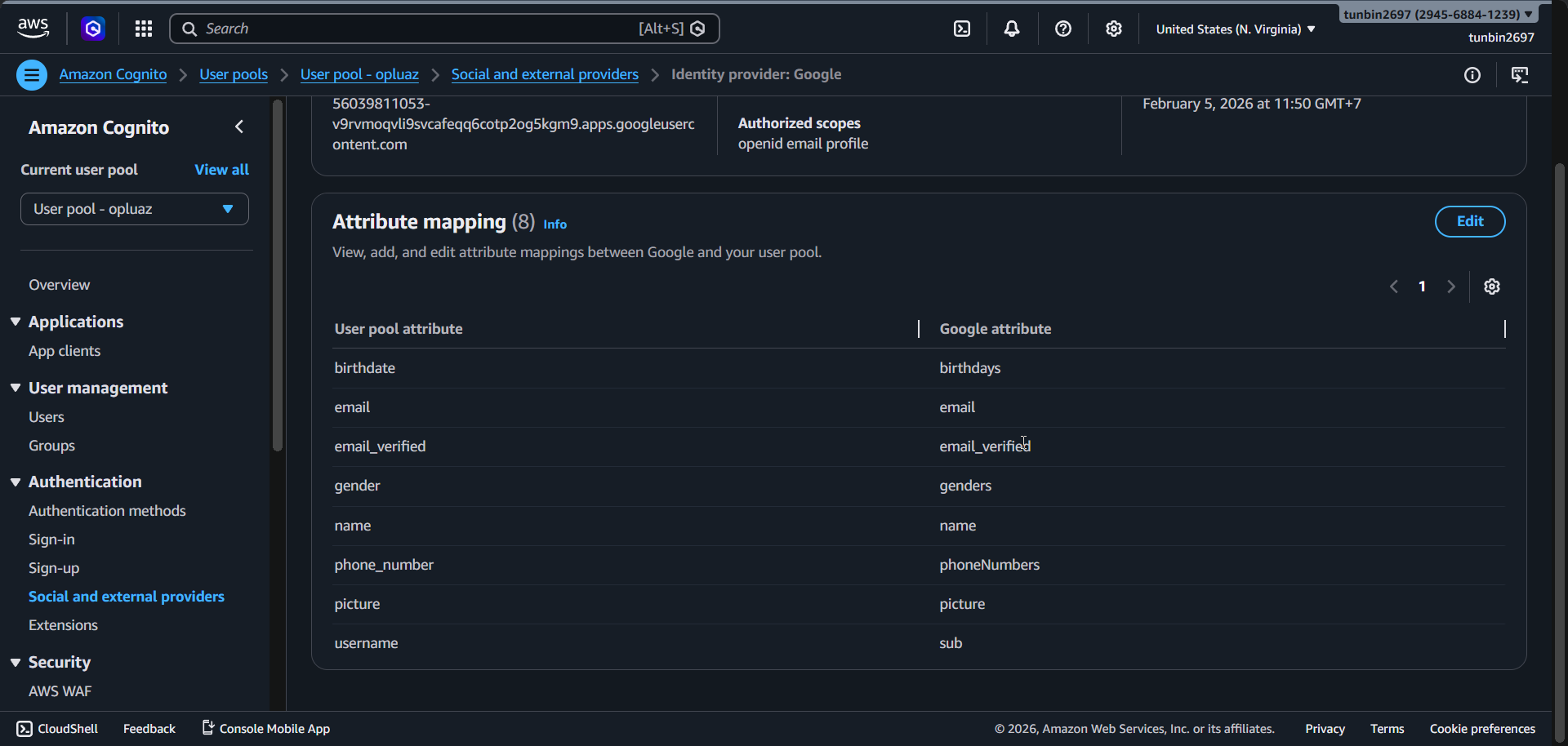
Verify provider
Googleis present. -
Verify mappings include these key fields:
email -> emailemail_verified -> email_verifiedname -> namepicture -> pictureusername -> sub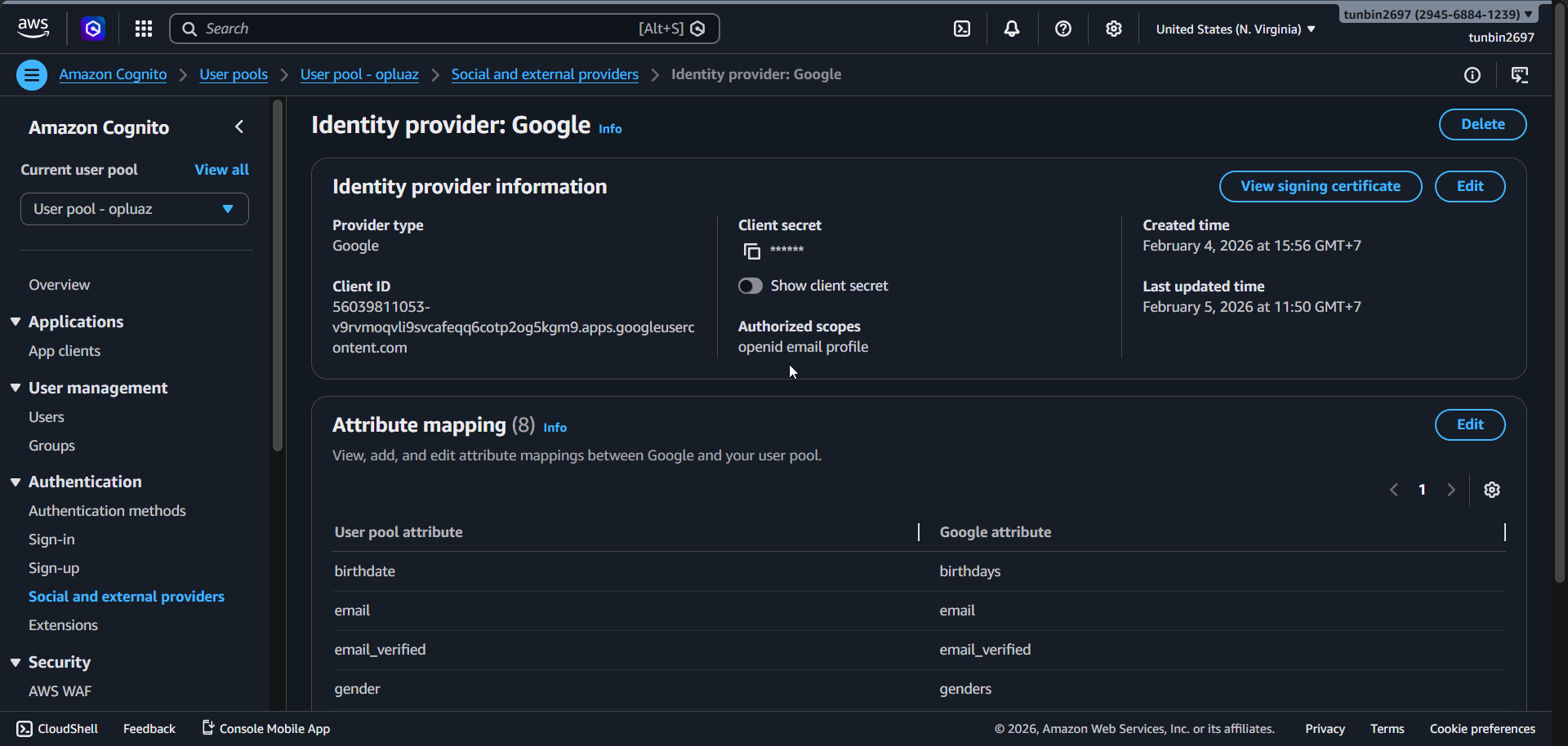
4. Verify Route 53 hosted zone and records
-
Open Route 53 Console -
Hosted zones. -
Confirm hosted zone
myfit.clickexists and type isPublic.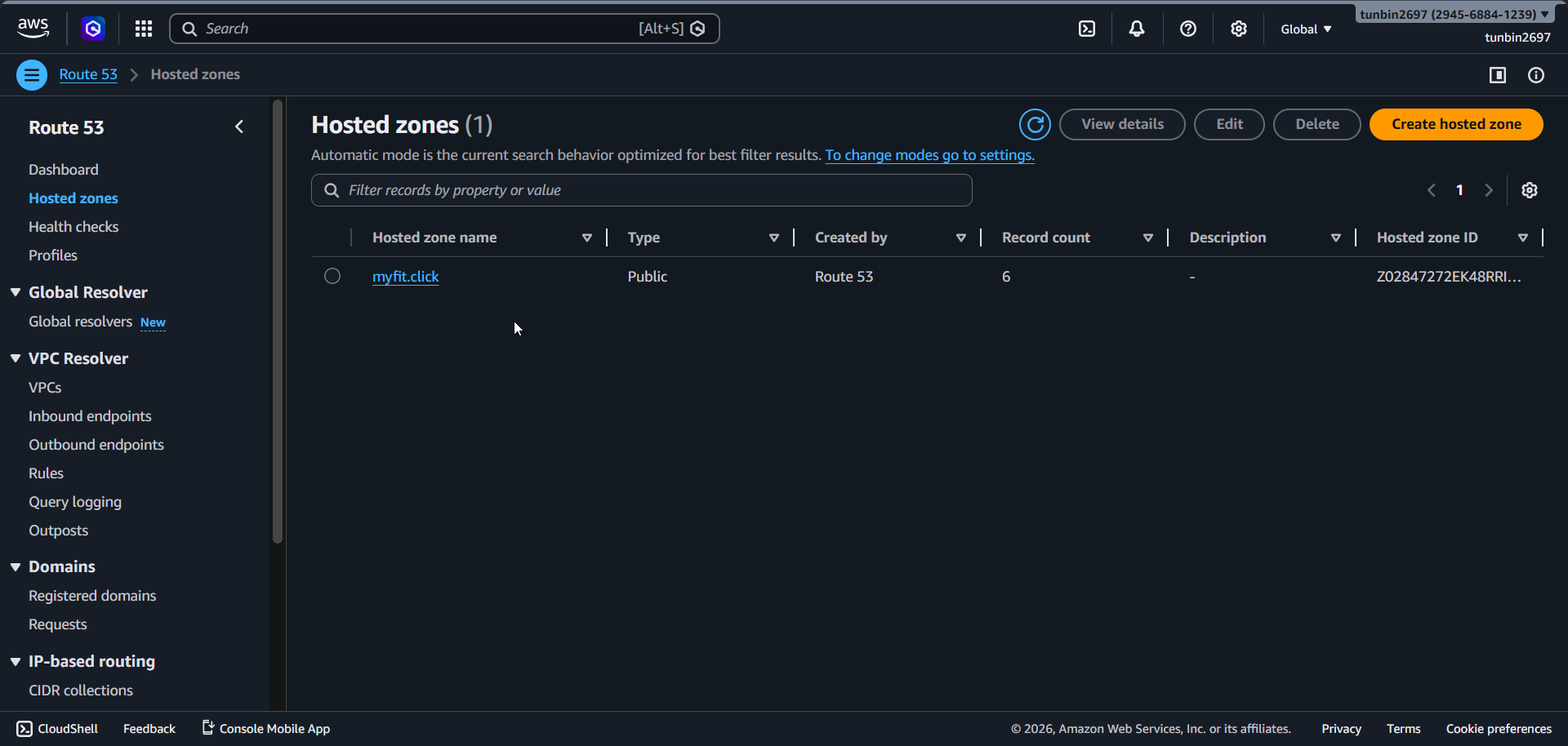
-
Open hosted zone
myfit.click-Records. -
Verify core records:
- Alias
Arecord formyfit.clickpoints to CloudFront domain. - Alias
Arecord forapi.myfit.clickpoints to ALB domain. - ACM validation
CNAMErecords formyfit.clickandapi.myfit.clickexist. - Default
NSandSOArecords exist.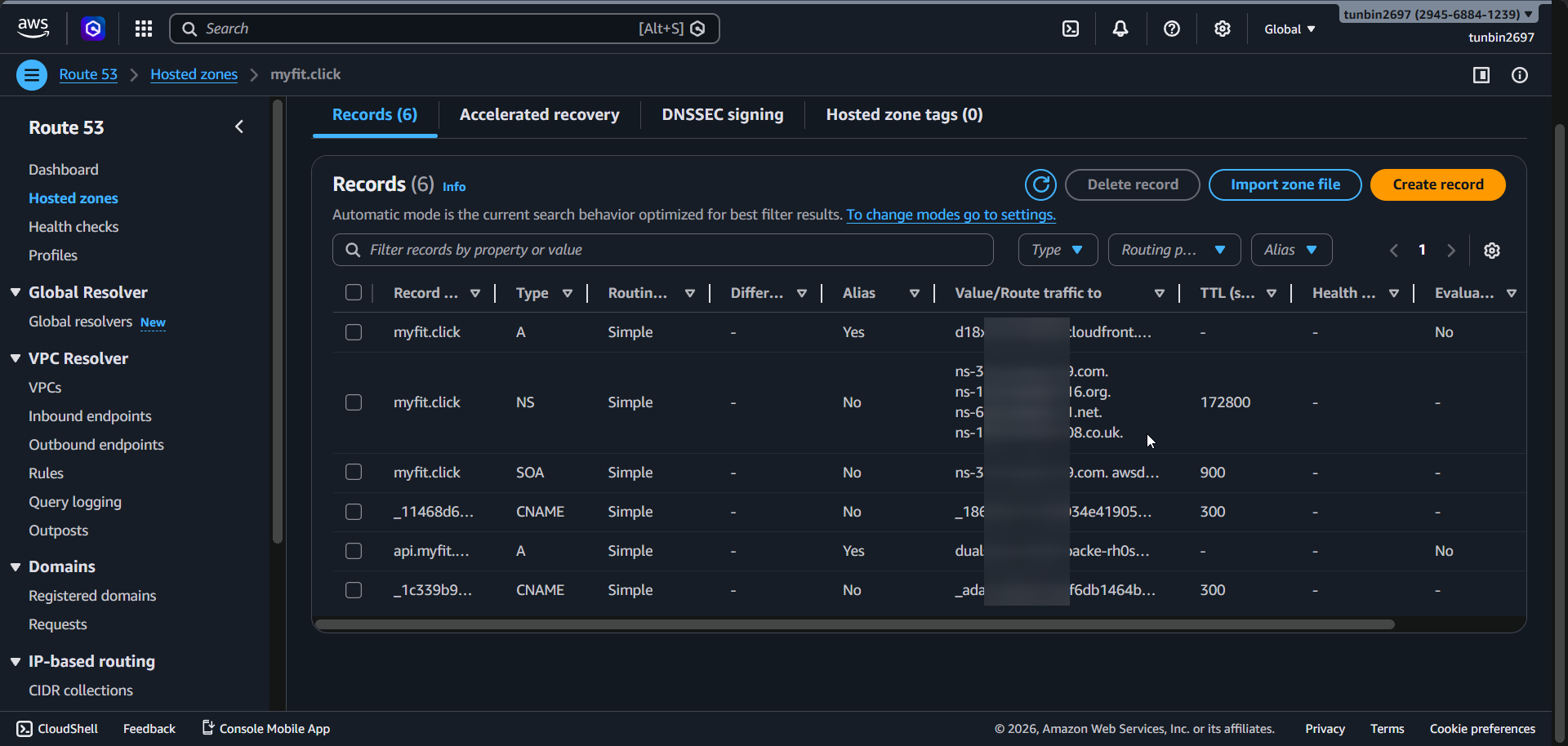
- Alias
5. Phase completion checklist
- Confirm Cognito user pool ID is
us-east-1_9AoKPqZO1. - Confirm app client ID is
661fm3mj7s5qcmoldri1mem9sr. - Confirm callback URLs include
http://localhost:8081/callback,https://myfit.click/callback, andmyfit://callback. - Confirm sign-out URLs include
http://localhost:8081/logout,https://myfit.click/logout, andmyfit://logout. - Confirm supported identity provider includes
Google. - Confirm OAuth flow is
codeand scopes includeemail,openid,profile.